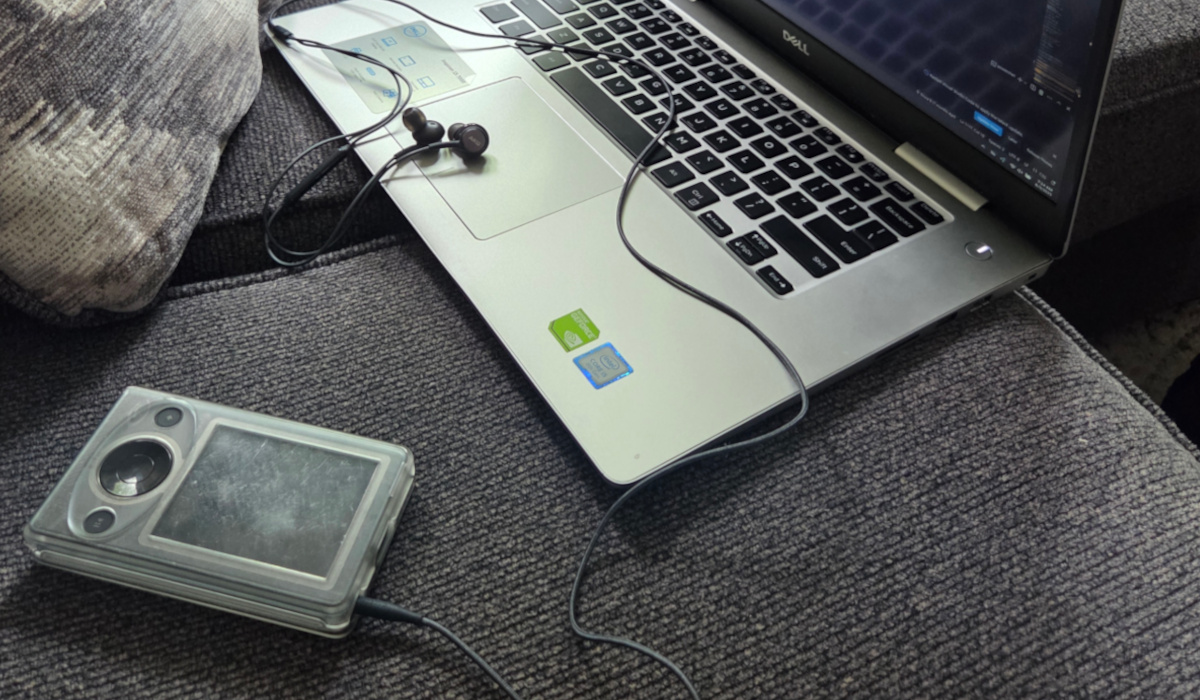
I was planning on writing a few blog posts about tech I’ve been tinkering with but I think it’s better suited to one long post. I’ve been messing with my Rasberry Pi, my Halo 3 Themed Zune, Linux distros, and my RG35xx SP. I’ve fallen in love with this stuff and it brought me a lot of challenges and joy. Let’s start this off with a classic.
Zune zone
Since I’ve built my Plex server and, even more recently, upgraded my main PC so my old gaming rig has become my media server, I’ve been listening to only music I own. However, due to an accidental purging of said server rm -r anyone? I had to reset it. Thankfully I had most of my music already synced to my Zune. I pulled it back off of it to restore my music.
But that got me curious to start using my Zune somewhat normally. I tried it and I do like it. Having myself disconnected from my phone or computer for music certainly has its upside. I found myself having better focus and less stress. When I wanted to change what I was listening to, that was all I could do. No getting caught up in scrolling on Instagram, no loading up a video game, no SUGGESTIONS for other music to filter through. Just select it and press the physical play button.
And since it doesn’t have Bluetooth, I was forced to either listen to music or disconnect entirely. This made getting into and out of the flow state of work have less friction, I was either on or off. It also makes it so I only have one thing to worry about charging, which came in clutch a few times, when I was mowing the grass and my Bluetooth headphones, were dead.
A final note about the Zune, to this day its UI is the cleanest around especially when you are talking about the Zune HD. We will likely not see anything like it again and it is beautiful.
What is old is new
I tell you what, it took me a long time to pull the trigger on the Anbernic RG34xx SP. It’s not terribly expensive but it was my first foray into retro handhelds. I’ve used modded 3DSs and they worked fine, and I know the Switch gets more and more games for their platforms. However, in my current stage of life, I needed something ultra portable and self-protecting if I were to get any gaming in. I tell you what, this thing delivered. Being able to play games up to the PSX is golden. I’ve been enjoying a lot of my childhood games again and remembering how good gaming can be.
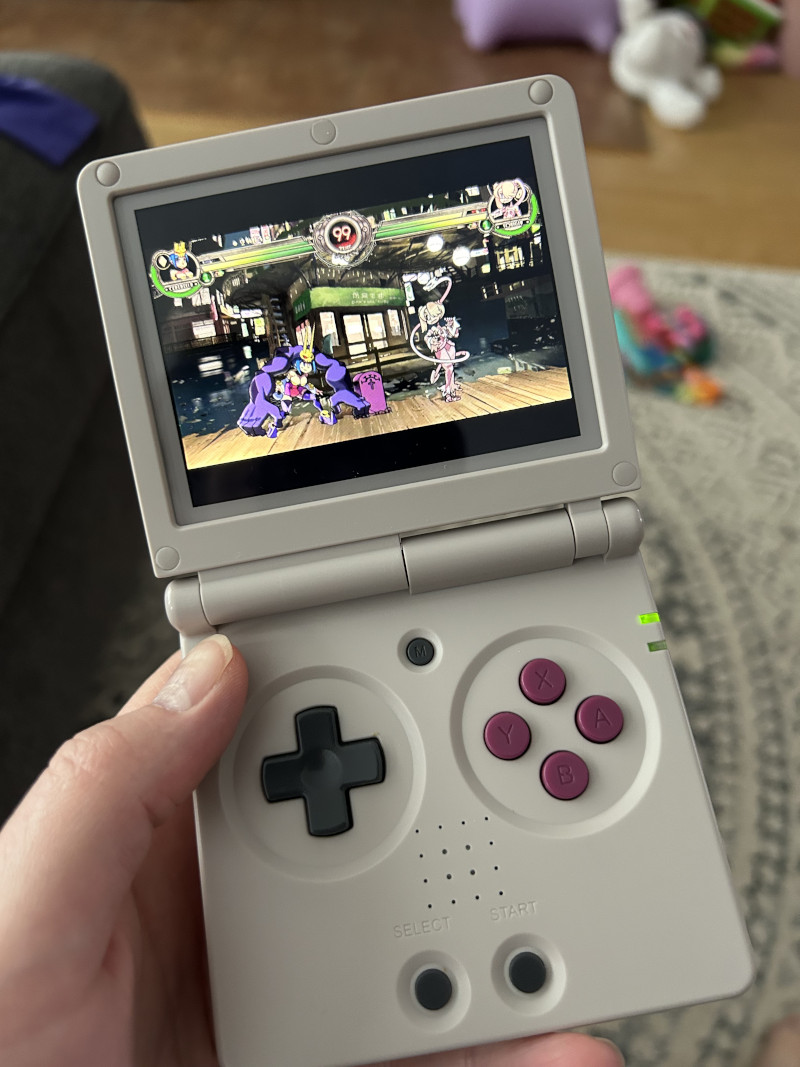
I don’t want to take too long on this aside about how poor modern gaming is with constant updates, always online, only multiplayer games as a service are. So………yeah - all that can eat my shorts. Except for World of Warcraft, you’re cool.
Playing video games has been rad. I’ve been diving into games that I only was able to play when I played at my grandpa’s house. Or even games I remember my dad and his friends playing on the NES. However, I did run into some problems along the way with my device.
Mustard!!!
There are a few options out there to modify the front end of your retro handheld and I saw a lot of people recommend MustardOS or MuOS. And honestly - it was great, I got bezels out of the gate that didn’t require any upfront setup and I was happy. They made the handhelds like GameBoy and GameBoy Advanced feel more immersive. However, after a while, it felt like something was missing and I saw some performance issues. Maybe there were too many options to choose from, I spent more time modifying the OS and RetroArch settings than playing video games. This wasn’t all bad - I think it’s part of the hobby. I really wanted to get into games tho, so I wanted something else.
Gladiator ftw
I moved over to Knulli and its current release name is Gladiator. As soon as I dropped into it I felt like my device got an upgrade and felt more premium. The default theme played well with how I thought things should feel. I spent hours noodling through all the options to make it feel like I wanted. Then I discovered how the built-in scraper worked, something I feel MuOS desperately needs.
Scraping for box art, videos, and screen grabs, among other things took the experience to a whole new level. Now whenever I pause over a game and wait a few seconds a video plays showing the game play very similar to how an arcade would show you. This feature made playing the games more enticing especially ones I’ve never played before.
This is when I delved into the world of GBA games. I had no idea about the quantity of high-quality games that were made for this system. Growing up, I had a GameBoy Color with Zelda and Tetris - that was it. The next handheld I got was a PSP. So I skipped the GBA entirely. I’ve been going through Metroid Fusion and the ambiance for this game is creepy and thrilling, never thought I would experience that from a 2d platformer. It’s also the first Metroid game I’ve played since I played the first one on NES at my grandpa’s house.
Retro rules
I think one of the biggest competitors for modern gaming right now is older games. Ones regarded as classics and masterpieces we have access to them. I have copies for all my older games and they are just as enjoyable today as they were 25 years ago. Fun has no age limit.
Linux love
I’ve been going neck-deep into running Linux. I just got new components and made my PC a bit more powerful for gaming with a Ryzen 5 and Radeon 7600xt. The first thing I did was install Ubuntu Budgie on it. However, my experience was sullied because of the push of Snap and no Gnome software manager. I ran it for a couple of months but decided to run Windows instead so I could play Halo Infinite and still be able to use games that hate Linux. Doing this I wiped my drive of Linux and only had Windows. It worked but never felt like it was my PC.
Once Trump’s “Big Beautiful Bill” passed and I assumed he and his administration would have more and more access to my data that Windows collects and reports, I decided It was time to jump ship once more.
This time I went with dual booting Mint with Windows, and I tell you what - I’m loving it. I was able to find and install Plank to have a dock, grabbed Icons that Ubuntu Budgie was using, and made the system feel like it was mine. But I’ve switched to Linux not once but twice already. I think it’ll stick now. Windows just doesn’t hit anymore.
On the other hand, I just installed Mint on an old laptop and themed it to look like Windows XP and it is now my favorite device to use. I’m writing this blog post on it right now and it’s lovely. The laptop itself isn’t super powerful so no games - but that is for the best, keeps me from goofing off when it is in my lap. The battery lasts long too so that is good. My more powerful laptop that has stock Windows 11 lasts for about 2 hours on battery.
Raspberry Pi for you
Recently I’ve been having a hard time with my Windows partition and sharing it with a printer they inherited. It is an older model that didn’t have Wi-Fi built in. I figured I had enough know-how to get it shared on Windows that it would be no problem. I went through all the dialogs, even the ones Microsoft doesn’t want you to get to anymore and it just would not work. I set up the sharing permissions to allow Everyone to print. No dice.
I was, however, able to print from my laptop where I was also signed in using my Microsoft account. My wife was not on her machine. So I’m assuming it was a sharing permissions issue and since I didn’t have a local account for her machine to authenticate with and she can’t easily authenticate with my Microsoft account, I was stuck.
I said forget it, booted into Linux, and shared it from there and everyone can now print. That should be where this story ends but I still needed to boot into Windows in order to do my regular job, and have an easier time remoting in and playing video games.
So whenever my wife needed to print I had to reboot into Linux. Needless to say, it was a hassle because Windows should have this figured out.
Then I got the bright idea, oh hey - I have a Raspberry Pi chilling in a drawer, why don’t I use that?
Pi in the sky
I proceeded to pull it out, installed a GUI-less version of Debian onto an 8gig micro SD card, slapped that in, and booted. The setup was easy enough then it was time to configure my printer.
Ram butting a dam
I ran just about everything I could from the command line for it to see and share my printer. lpstats documentation did not help much. I finally found this solution that got me close. After running around every command I could I got it sorry if shared. Lpstat said it was but nobody could see it print from it.
I threw in the towel to configure it via the command line and set it up to allow network GUI access.
This is where I was able to follow one of the YouTube tutorials on setting up CUPS using the GUI. Turns it out I didn’t have the optional Gutenberg driver and the Pi couldn’t operate the printer. I got those installed and then CUPS saw the printer and I was able to share it out. VICTORY.
PI to PS2
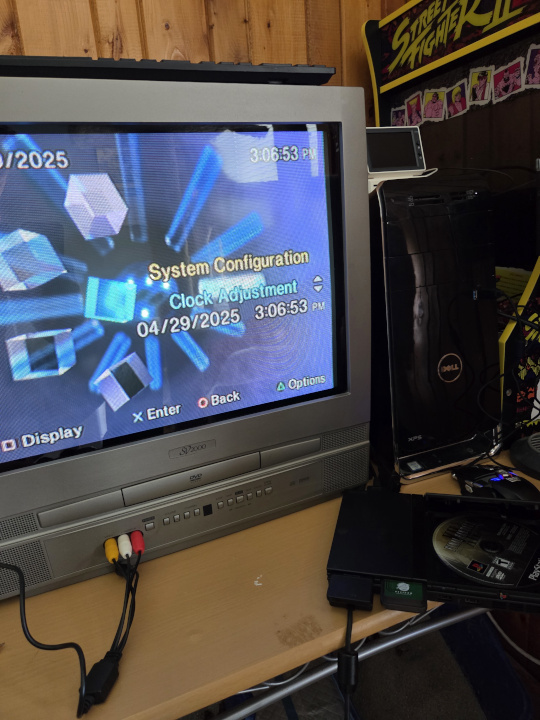
I later got a new printer that had WiFi abilities and the PI sat again. Then I found a tutorial to have my PI serve as an interface to give my PS2 Slim access to ISOs to run games natively. I got it about 90% there and found a CRT to hook it up to to play games. Sadly I never completed it and have to swap my disks now to play games. Still having a CRT TV to play video games is pretty dope. I even hooked up my old gaming PC to it, the one that runs my Plex server, and enjoy playing my Steam library on the CRT, even if the overscan is a bit rough to work around.
Technology is a lot of fun.
So yeah, being able to do all this as a hobby is great. One of my favorite things to do is tinker with Tech. That is what led me down the road of a web developer for my career. I tinkered with web pages back in the early 2000s and viewing the source code and picking it apart was one of my favorite things to do as a kid. I hope this little tour of things I’ve been messing with in the past year or so was as fun for you as it was for me. That’s all for now.